From zero to your first shielded ZEC transaction.
Six steps: set up a wallet, get ZEC, shield it, receive, send, and unshield. About twenty minutes of steps. An exchange may hold a new purchase for days before you can withdraw it.
You need a phone or computer and a little money to buy ZEC.On testnet you need nothing: the faucet gives you coins.
| Step | From | To | Amount |
|---|---|---|---|
| Withdraw | Exchange | t1Hx…tmAM… | 1.00 |
| Shield | t1Hx…tmAM… | 1.00 | |
| Send | |||
| Unshield | t1Pk…tmGf… | 0.25 |
The network fee is always visible, usually 0.0001 to 0.00015 ZEC.
1Set up a wallet
This guide uses Nap Wallet in its pictures. It runs in the browser, so there is nothing to install. Any shielded Zcash wallet follows the same steps, for example Zodl, Zingo!, Zkool or Noir. The buttons have slightly different names. A list by platform is at the end of this page.
- Open nap.zyn-network.com. Pick the testnet network in the menu at the top right.
- Choose Create new.
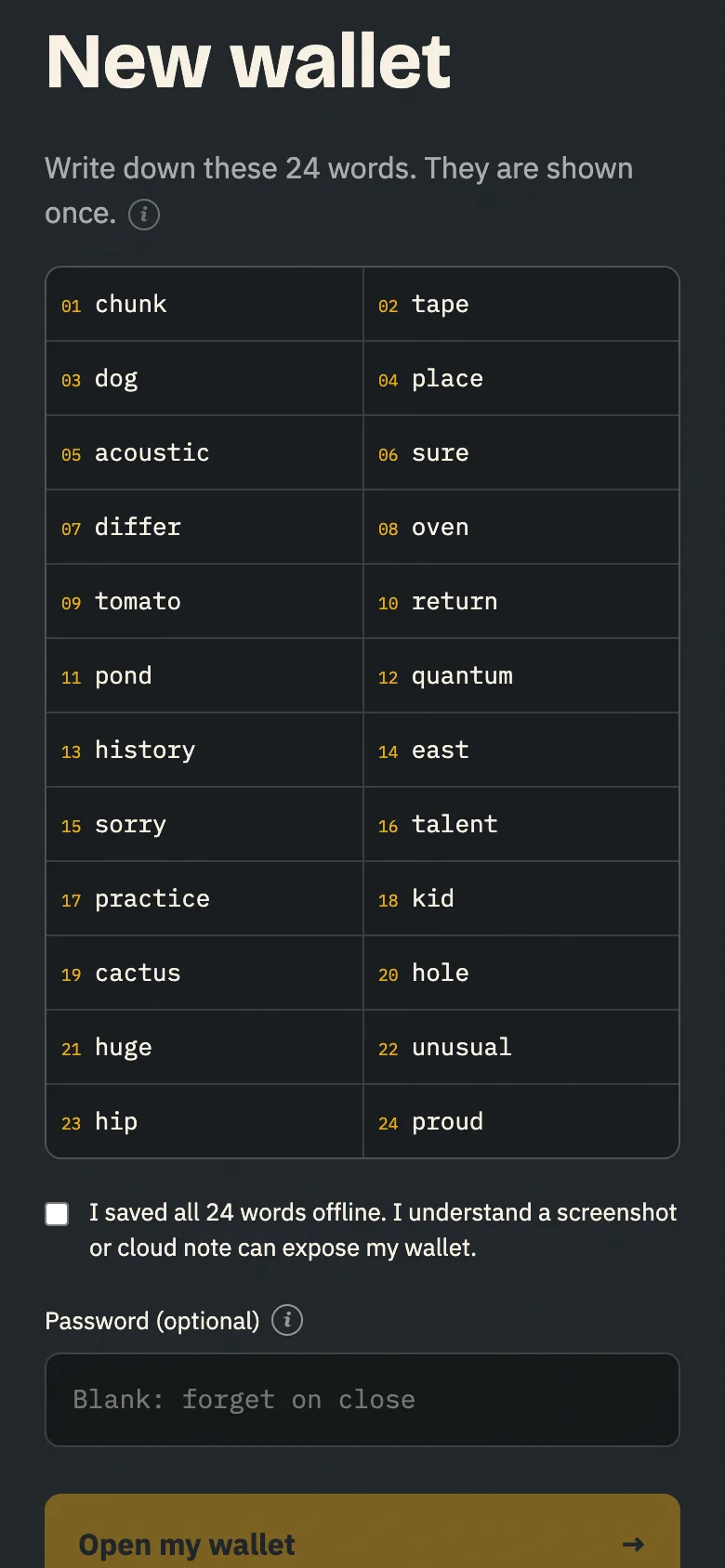
- Write the 24 words on paper, in order. Tick the box once they are saved.
- Set a password so Nap keeps the wallet on this device. The 24 words restore it anywhere.
Anyone with your 24 words can spend your ZEC, and nobody can recover them for you. Keep them offline: no screenshots, no cloud notes, no chat.
2Get ZEC
Buy ZEC on an exchange that serves your country, such as Coinbase, Kraken or Gemini. Most exchanges pay out only to a transparent address, so that is where you will receive it first.
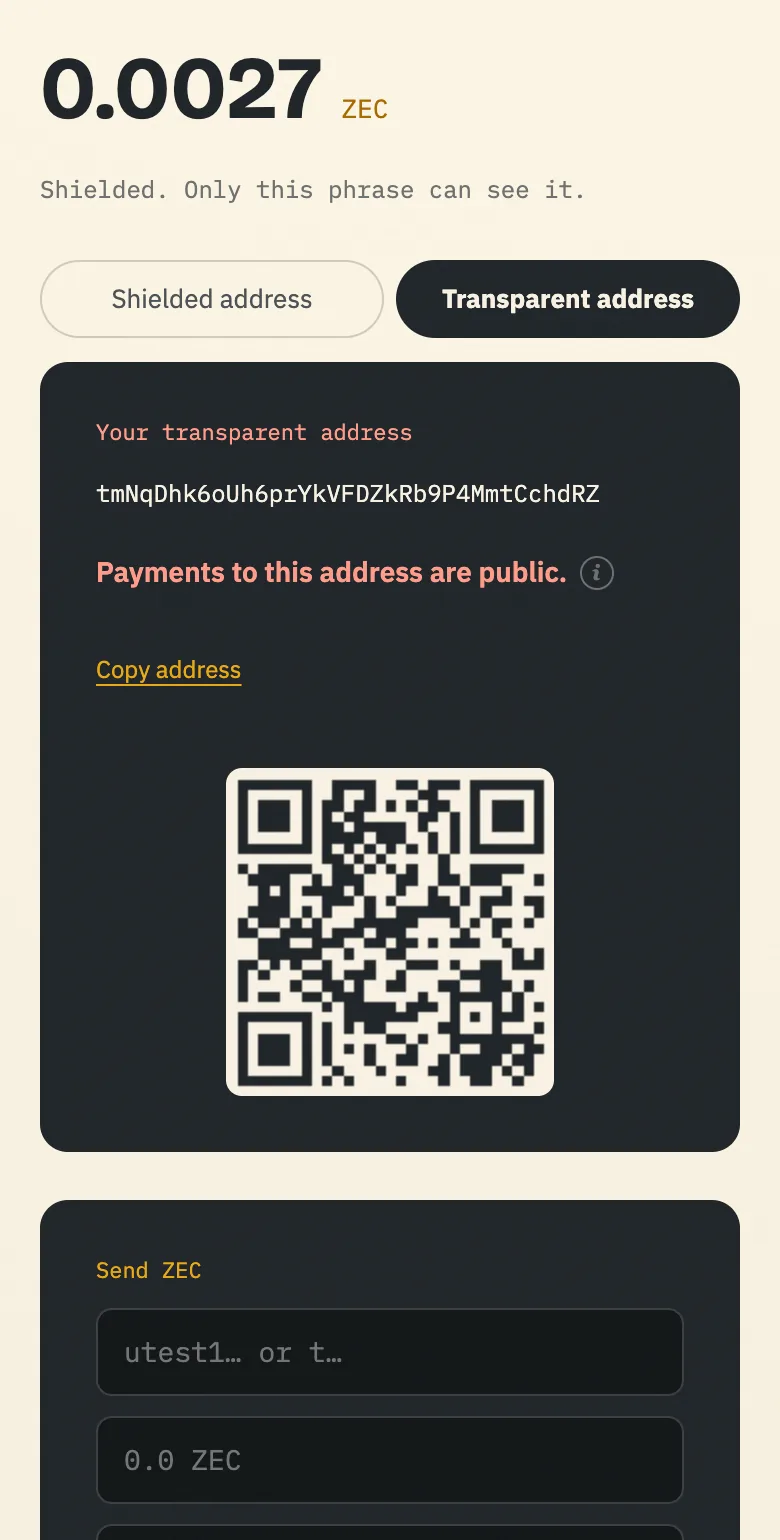
- In Nap, go to Zcash and choose Transparent address. It starts with
t1. - On the exchange, withdraw ZEC and paste that address. Compare the whole address, not just its ends.
- Wait for it to arrive. Zcash makes a block about every 75 seconds (25 seconds after the NU7 upgrade); exchanges and wallets wait for a few. If your exchange accepts a unified address (u1…), you can withdraw straight to your shielded address and skip step 3. The exchange's withdrawal page says which address types it accepts. Try a small amount first.
Testnet coins (TAZ) come from a faucet. They are free and worth nothing.
- In Nap, go to Zcash and choose Transparent address. On testnet it starts with
tm. - Paste it into the Valar testnet faucet. It pays 0.125 TAZ once a day.
- Wait for it to arrive. A block comes about every 25 seconds.
A transparent address is public, like a Bitcoin address. Anyone can see what it receives and sends, and its balance. Use it to receive from the exchange, then shield.
3Shield
Shielding moves your ZEC from the transparent address into the shielded pool, where amounts and addresses are encrypted.
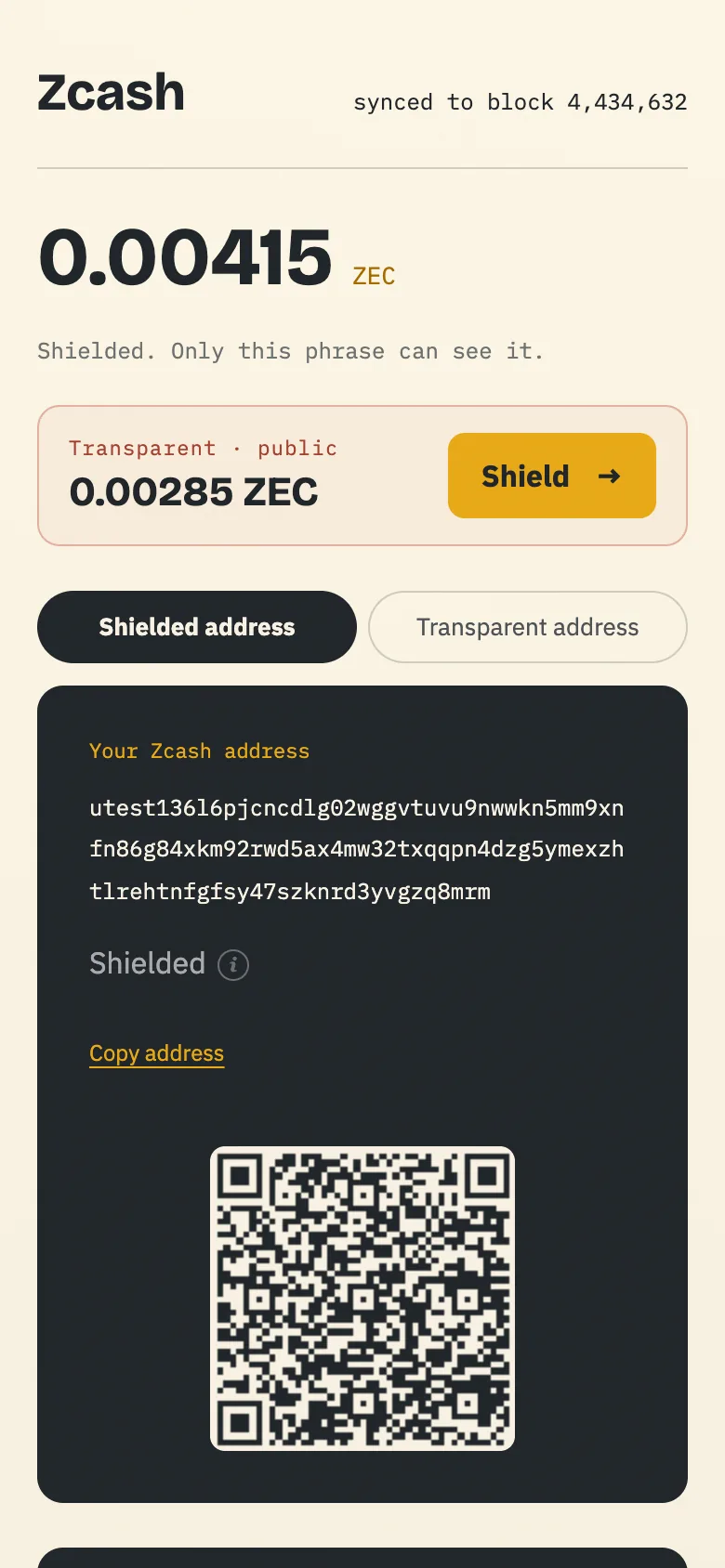
- Once the ZEC arrives, Nap shows it on its own line, Transparent · public, with a Shield button.
- Press Shield. Check the fee (0.00015 ZEC for one incoming payment) and confirm.
- Nap builds a zero-knowledge proof. It takes up to a minute; keep the tab open. The proof shows the network the transaction is valid without revealing its shielded part. Your device makes it, and your keys never leave the device.
- After a few blocks, about five minutes, the ZEC shows in your shielded balance.
This is your first shielded transaction. The chain shows the transparent address and the amount going in, but not where it went.
4Receive
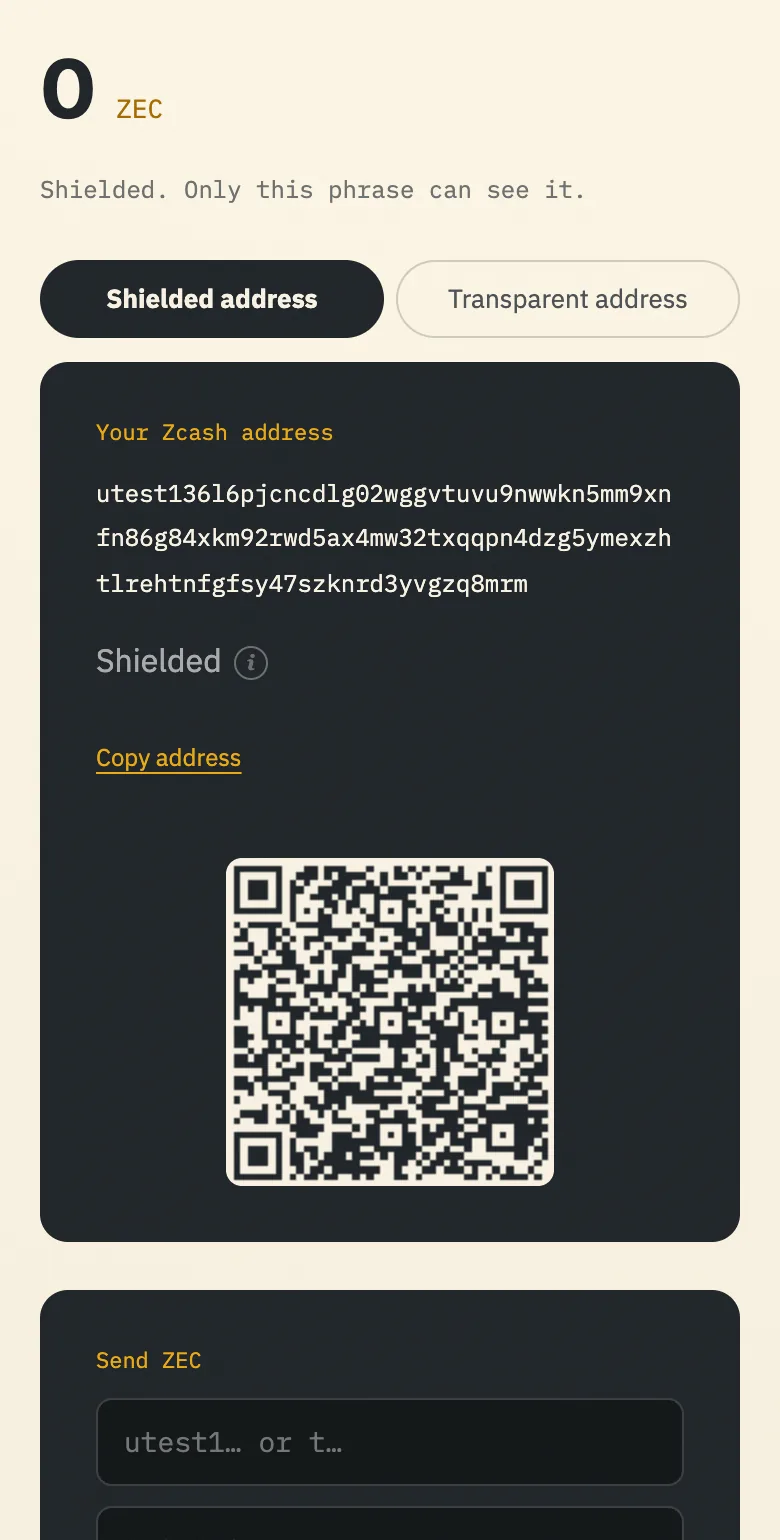
Your shielded address starts with u1utest1. This is the one to give people.
A unified address bundles receivers for Zcash's pools in one string. Nap's holds only a shielded receiver, so the chain never shows this address. A payment that comes from a transparent address still shows its amount.
- In Nap, go to Zcash. The shielded address is shown first, with a QR code.
- Copy it or show the QR to whoever pays you.
- They can add a memo of up to 512 bytes. Only you, the sender, and anyone holding your viewing key can read it. Nap shows it when the payment arrives.
The chain never shows a shielded address. People you give it to can still tell it is yours.
5Send a shielded payment
From one shielded address to another, the chain shows only that a transaction happened, when, its size and its fee.
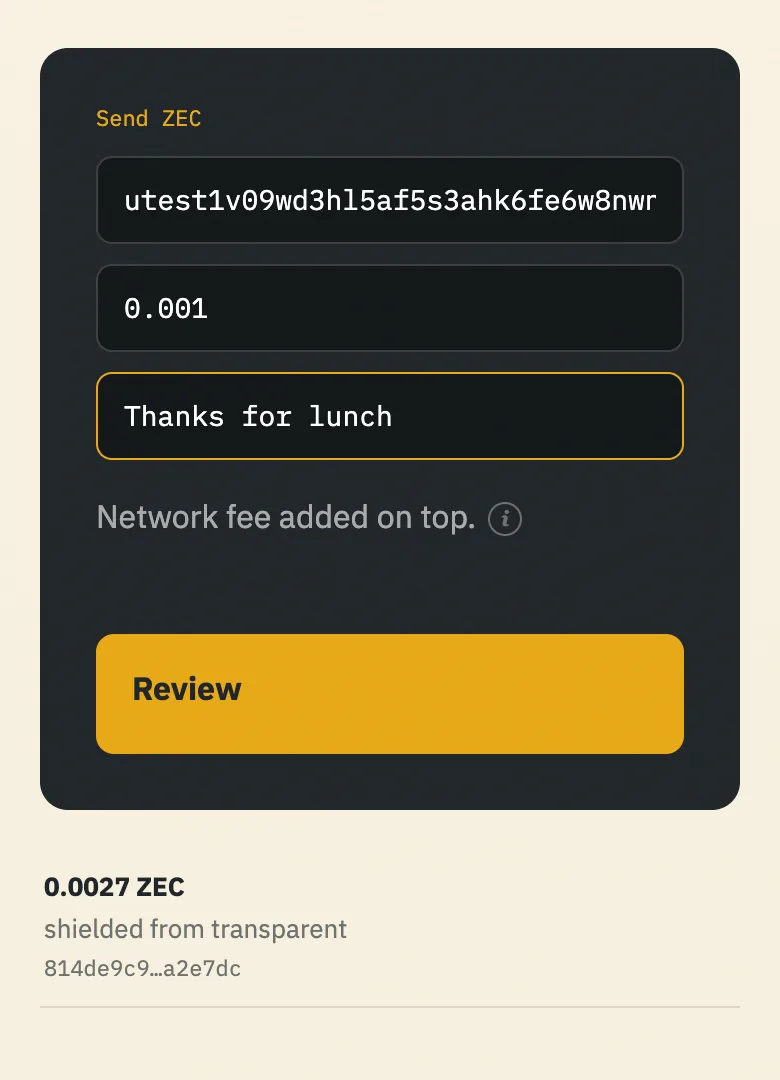
- Under Send ZEC, paste a
u1…utest1…address. No one to pay? Use your own. - Enter an amount and, if you like, a memo.
- Review and confirm. Proving takes up to a minute.
- Copy the transaction id and look it up below.
6Unshield
Sending to a transparent address, for example an exchange deposit address to sell, takes ZEC out of the shielded pool.
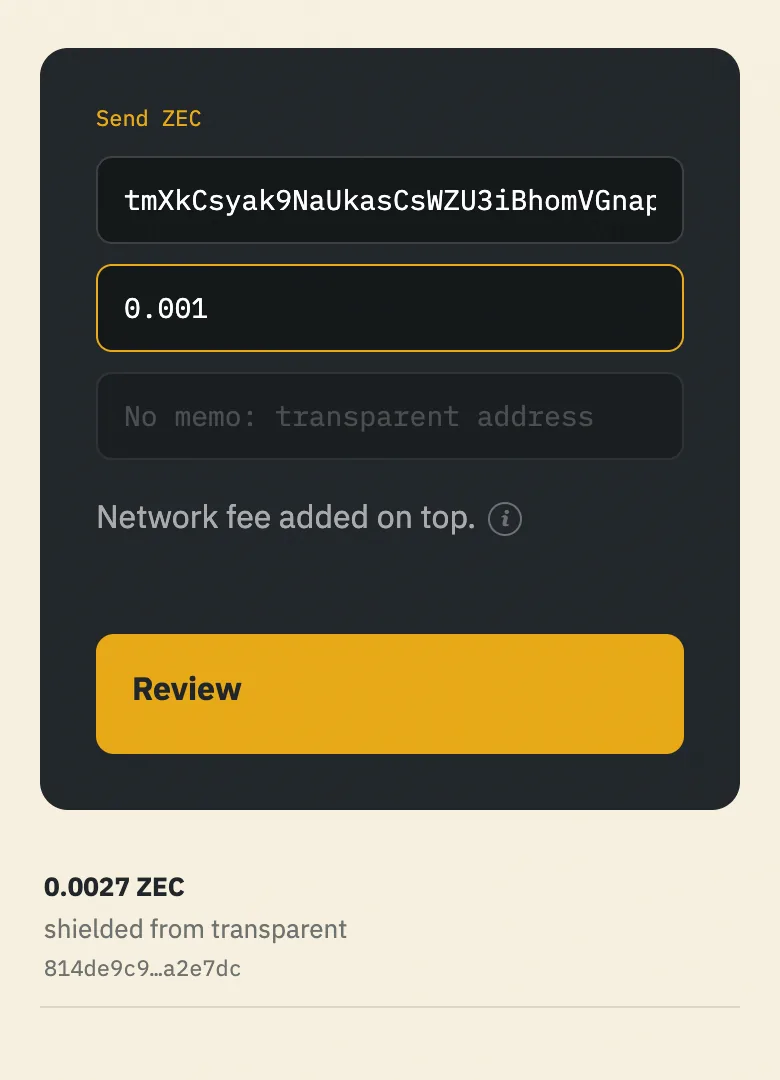
- Under Send ZEC, paste the
t1…tm…address. Check it below first if you are unsure what it is. Some exchanges give a TEX address (tex1…), which Nap cannot pay yet. - Enter the amount. Memos only reach shielded addresses, so Nap turns the memo field off.
- Review and confirm.
The amount and the receiving address become public. Your shielded balance and where the ZEC came from stay private. Unshield only what you are moving: unshielding the same amount you shielded, soon after, can link the two.
Next
- ZecHub: community guides to Zcash.
- Zcash Community Forum: questions and wallet support.
- z.cash: how Zcash works.
Wallets
Every wallet below holds shielded ZEC in the current pool, Ironwood, according to ZecHub's directory. Most Zcash wallets use the same 24-word standard, so a phrase usually restores in another wallet. Try it with a small amount before relying on it.
Phone
- Zodl (formerly Zashi)
- Zingo!
- Unstoppable
- Cake Wallet
- Zapp
Computer
- Zingo!
- Cake Wallet
- Vizor
- Zkool
- Zallet: command line, beta
Browser
- Noir: extension
- Nap Wallet: web page and extension
Trust Wallet, Exodus, Coinomi, SafePal, Trezor and many other multi-coin wallets hold transparent ZEC only. They cannot shield. Send from them to the transparent address of a shielded wallet, then shield there.
More wallets, and which ones support Ironwood: ZecHub's wallet directory.